Free · No Signup · Nothing Uploaded to a Server
Online Image Cropper
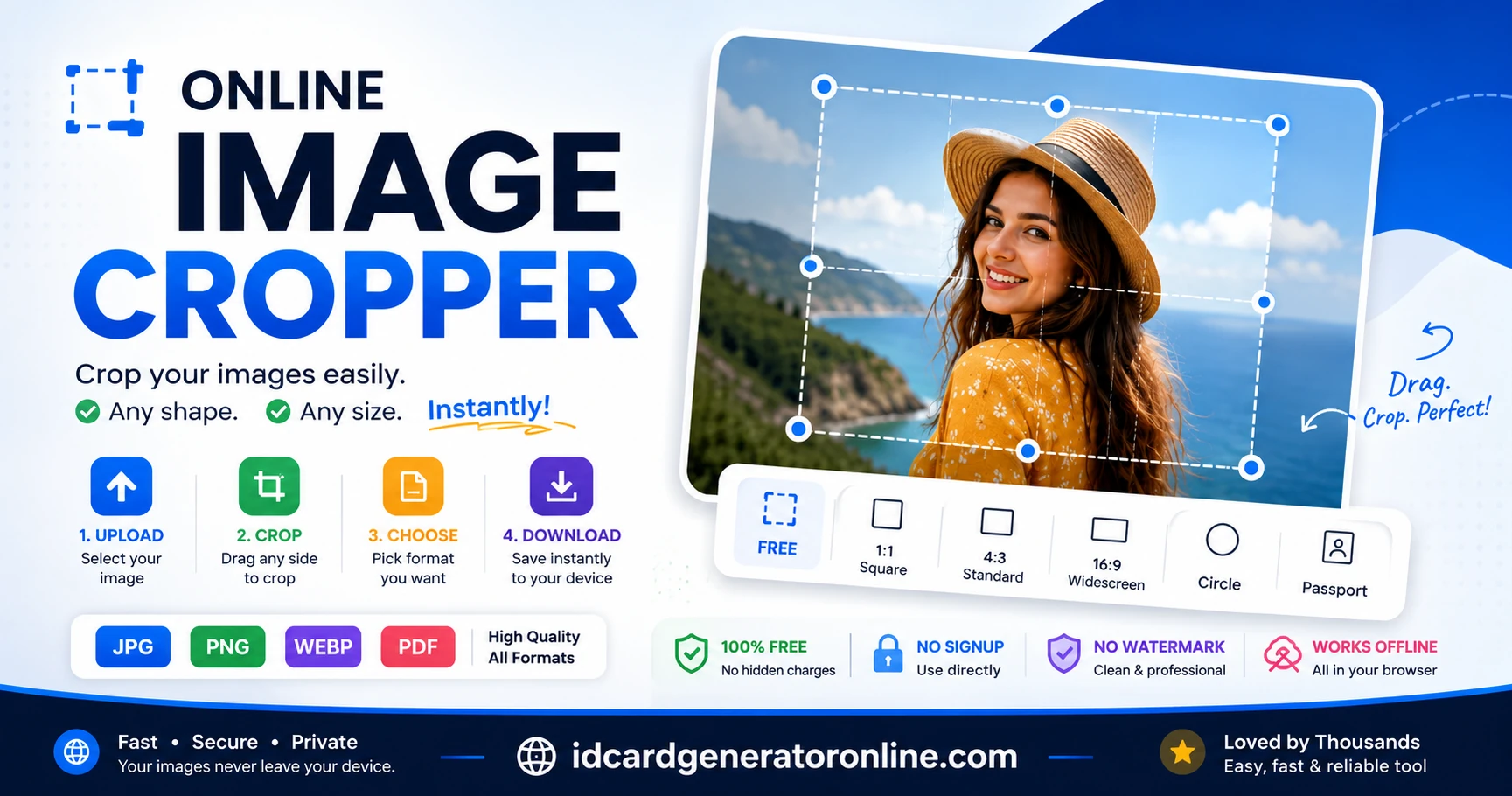
Crop, rotate, and resize any photo right here in your browser — free-form from any side, or snapped to a circle, square, 16:9, passport size, or Instagram post. Watch the file size update as you crop, then download as JPG, PNG, WebP or PDF.
Crop your image
How to use: upload a photo or PDF below, drag any edge or pick a crop shape, choose a format, then hit Download.
Drop a photo or PDF here
or tap to browse — JPG, PNG, WebP, GIF or PDF, any size
Choose FileHow to Crop an Image Online
No account, no install, no watermark — the whole thing runs in your browser tab. Here's the short version.
-
Drop in a photo or PDF
Drag a file onto the box above, or tap it to browse your device. Any image size works, and PDFs are supported too — the first page loads as a croppable image.
-
Pull any edge inward
Grab the top, bottom, left or right handle and drag — with a mouse or a finger, it works the same way. Or tap a shape preset to snap straight to a circle, square, 16:9, or passport-photo ratio, then drag the box to reposition it.
-
Straighten with rotate
Sideways photo from your phone? Tap 90° Left or 90° Right as many times as you need before you crop.
-
Check the size, then download
The file size next to "Cropped" updates as you adjust the box, so you can see exactly what you're getting before you commit. Pick JPG, PNG, WebP or PDF and download.
Crop Image Online for Every Purpose
This online image cropper has six presets that cover almost everything people search for. Here's what each one actually does.
Crop Image to 1:1 (Square)
Equal width and height. The base ratio behind profile pictures, thumbnails, and most app icons.
Crop Image to Circle
Same square selection, but the exported file itself is masked round with a transparent background — export as PNG or WebP to keep the transparency; JPG and PDF will fill the corners white.
Crop Image to Passport Size
Passport and visa photo requirements vary by country and application — the US and Indian passport/visa forms use a square 2×2 inch photo, while the UK, EU, and several other countries use a rectangular 35×45mm format instead. This preset gives you the square 1:1 ratio; check the full breakdown by country before assuming it's the right one for your form.
Crop Image for Instagram
A square crop matching Instagram's classic post ratio. Same math as the Square preset, labeled separately so you don't have to do the conversion in your head.
Crop Image to 16:9
Widescreen — the ratio behind YouTube thumbnails, most laptop and TV screens, and presentation slides.
Free-Form Crop
No locked ratio. Drag any of the four edges independently — useful when you just need to trim a border or remove something from one side of a photo.
ID and Passport Photo Pixel Requirements by Country
"Passport size" isn't one size — the physical print dimension, the digital pixel count, and the exact aspect ratio all vary by country and by form. Get the ratio wrong and a rigid online validator won't politely resize your photo; it will either stretch your face to fit or reject the file outright. These are the most common baselines, worth confirming against the specific portal before you submit.
Physical size, ratio, and pixel dimensions
| Country / Document | Physical Size | Aspect Ratio | Typical Pixels (300 DPI) |
|---|---|---|---|
| India — passport & OCI (2×2 in.) | 2 × 2 in (51 × 51 mm) | 1:1 | 600 × 600 px |
| India — domestic forms (PAN, exams) | 3.5 × 4.5 cm | 7:9 | 413 × 531 px |
| United States — passport & visa (DS-160) | 2 × 2 in (51 × 51 mm) | 1:1 | 600 × 600 px |
| United Kingdom | 35 × 45 mm | 7:9 | 413 × 531 px |
| EU / Schengen visa | 35 × 45 mm | 7:9 | 413 × 531 px |
| Canada — passport & PR card | 50 × 70 mm | 5:7 | 591 × 827 px |
| Australia | 35 × 45 mm | 7:9 | 413 × 531 px |
| China — visa & ID | 33 × 48 mm | ~11:16 | 390 × 567 px |
Physical-to-pixel conversions above use the standard 300 DPI print resolution. Many portals set their own digital-upload minimums or file-size caps (India's PSK upload and the US DS-160, for example, each define their own limits) — treat this table as a starting ratio and cross-check the exact figure on the form itself.
Why the aspect ratio matters more than the pixel count
Most government and exam portals validate the ratio of a photo before they validate anything else — a form built for a 7:9 photo (UK/EU/India-domestic style) will silently squash a 1:1 square into that shape rather than reject it, which is how faces end up looking subtly stretched after upload. Free-form cropping to "close enough" is exactly what causes this. Using a locked-ratio preset before you drag — Square 1:1 for US/Indian passport and visa forms, or matching the 7:9 style manually with the free-form handles for UK/EU/Australia — keeps the ratio exact, so the portal's own resize step scales your photo proportionally instead of distorting it.
Getting the exact pixel count, not just the ratio
The crop box here controls the ratio and framing; the exact pixel dimensions come from your source photo's resolution. If a portal demands an exact figure like 600×600 px rather than "any 1:1 image," take the source photo at a resolution well above that target first — cropping down from a larger photo keeps detail sharp, while a small source photo cropped in never gains resolution back. The live dimension readout under the crop box shows the current pixel size in real time as you drag, so you can check it against the portal's requirement before downloading.
How to Crop an Image Without Losing Quality
Short answer, for anyone who just wants to crop image without losing quality: cropping itself never loses quality — you're just keeping a smaller region of the original pixels, not re-drawing anything. Quality loss happens at the export step, and it depends entirely on the format you pick:
- PNG is lossless. Every pixel you kept comes out exactly as it went in, every time — the trade-off is a larger file, especially for photos with lots of color detail.
- WebP gets you PNG-like sharpness at a noticeably smaller file size in most cases, and it also supports transparency, so it's the best default for circle crops you'll reuse online.
- JPG compresses more aggressively. The quality slider controls exactly how much — drag it down for a smaller file, up for a sharper one, and watch the live size readout to find the point where the file gets noticeably smaller without the photo looking soft.
- PDF embeds a high-quality JPG inside a document wrapper — handy for printing or attaching to a form, less useful if you plan to re-edit the image later.
If you're not sure, WebP at 90%+ quality is a safe, modern default: sharp output, small file, and it's supported by every current browser.
Common Uses of an Online Image Cropper
A free image cropper like this one ends up doing a few jobs over and over. These are some common uses of an online image cropper.
ID and passport photos
Center a face in a square crop before uploading it to a government form or an ID card template — this is exactly what this tool was built alongside.
Profile pictures
Crop to a circle or square so it looks right the moment it lands on LinkedIn, WhatsApp, or a company directory photo.
Product and listing photos
Trim a messy background edge or straighten a tilted phone photo to 16:9 before it goes on a marketplace listing.
Scanned documents
Upload a PDF, crop out just the signature or stamp you need, and download it as a clean PNG with a transparent background.
Why Use This Free Image Cropper?
A quick summary of what this image cropper does and doesn't require.
| Feature | This Tool |
|---|---|
| Free to use | Yes |
| No watermark | Yes |
| No upload — runs in your browser | Yes |
| Works offline once loaded | Yes |
| PDF support | Yes |
| Circle crop with transparency | Yes |
| WebP export | Yes |
| Account or signup required | No |
Supported Browsers and Devices
Everything the cropper uses — canvas, touch events, WebP export, PDF rendering — is standard in every current browser, so you can crop a picture online on whatever you already have.
- Chrome
- Edge
- Firefox
- Safari
- Android
- iPhone & iPad
Last tested on the current versions of Chrome, Firefox, Edge and Safari. Compatibility is re-checked monthly.
Your Images Never Leave Your Device
This is the single biggest difference between this tool and most sites that let you crop image online: there is no upload step at all. When you drop in a photo or PDF, your browser reads the file locally and draws it onto a canvas on your own device. Every crop, rotation, circle mask, and format conversion happens in that canvas, using nothing but the JavaScript already loaded with this page. The finished file is generated on your device and saved straight from your browser to your downloads folder.
The technology behind "no upload"
Concretely, the tool is built on two browser APIs, both standard in every modern browser and neither of which involves a network request: the HTML5 Canvas API, which decodes and redraws your image's pixels directly in memory on your device, and local object URLs (URL.createObjectURL), which let the browser reference your file from disk without ever attaching it to a form submission or a server call. Cropping, rotating, masking to a circle, and re-encoding to JPG/PNG/WebP/PDF are all canvas operations — the image data simply never gets serialized and sent anywhere. In short: the image itself is processed locally in your browser and is not uploaded to our server or any third party.
In practical terms, that means: no cloud upload, no server ever receives or stores your image, no account or email address is required, and there is no gallery, history, or backup of your files anywhere but your own device. Once the page has loaded, cropping even works with the internet switched off. We can't see, keep, or recover anything you crop — which also means there's nothing for us to delete, leak, or share.
Why that matters for government documents and signatures
That matters more than usual for a cropper on this site, because the photos people prepare here are often the sensitive kind — ID photos, passport photos, scanned government forms, digital signatures. A cloud-based editor necessarily sends that file to a server first, which means it now exists on infrastructure you don't control, is subject to that provider's retention and breach risk, and may be logged or cached along the way even if the provider promises to delete it later. Client-side, canvas-based processing removes that step entirely: a passport photo or a scanned signature never becomes a file sitting on someone else's server in the first place, so there's no upload log, no cloud copy, and no third party in the loop between your device and your download.